MTU ACMAL Prospective Students Current Students Majors Athletics Alumni and Friends Parents Faculty and Staff Search A2Z Michigan Tech MCFF ACMAL
  MCFF > ACMAL > EM > eTraining
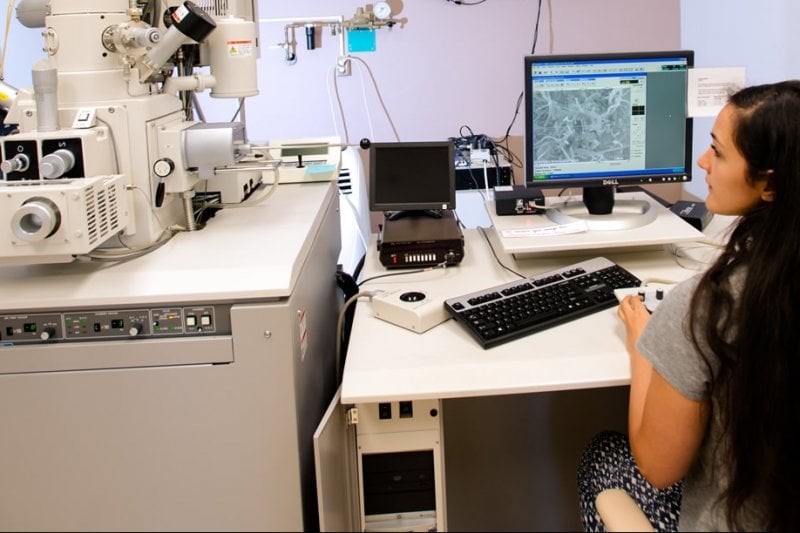
eTraining Screen
  • Owen P. Mills
  • Electron Optics Engineer
  • Materials Science & Engineering
  • Michigan Technological University
  • Room 512, M&M Building
  • Houghton, MI 49931
  • PH 906.369.1875
  • FAX 906.487.2934
  • opmills@mtu.edu

Electron Microscopy
eTraining provides online support for learners.

JEOL JSM-6400 Cutaway Tour

ACMAL eTraining Authors

Owen Mills, Project Manager

Student Content Authors
Caly Bodeis
Eric Hackney
Alicia Mikel
Kiersten Schierbeek

Sue Hill, Web Media Specialist

eTraining

ACMAL offers a free self-help eTraining Module for learners. It currently features JEOL JSM-6400 SEM and Microanalysis training. The module includes basic science, operational procedures, FAQs, troubleshooting, and safety topics. The content is designed for high school and higher levels of education. It is searchable, fully indexed, and enriched with glossary terms, images, video, animation, and interactivity.

Note: eTraining does not constitute certification for authorized usage. Please see Procedures and Policies for authorization requirements. See individual instrument pages for available training.

See Also: ACMAL Wiki FAQs for rapid updates.

ETRAINING MODULES

eTrainingACMAL eTraining Module: FlashHelp
version August 3, 2007

eTrainingACMAL eTraining Module: WebHelp
version August 3, 2007

eTrainingACMAL eTraining Module: WebHelp
Zip Download (33 Mb) version August 3, 2007

Note: FlashHelp is cooler but WebHelp is simpler. Content is the same for both.

Modules are powered by Adobe Flash 8, Adobe Robohelp X5, Adobe Captivate, and Swift3D 4.0.

SYSTEM REQUIREMENTS

To view this eTraining Module online, a recent browser and broadband (cable or DSL) connection are preferred.

Get Flash PlayerYour browser must have Adobe Flash Player 8 or higher installed. Check your player version and platform support for that version. If you see illustrations and animations but no video, then you have an earlier version of Flash plug-in. Screen captures and other alternative content may be available for animations and video.

Javascript 1.2 is required for expanding hotspots, such as Glossary terms.

Audio is required for most videos. Transcripts are provided.

All system requirements refer to both the FlashHelp and WebHelp interfaces.

Top

Last updated April 1, 2008